Live search in SharePoint (without sync!)
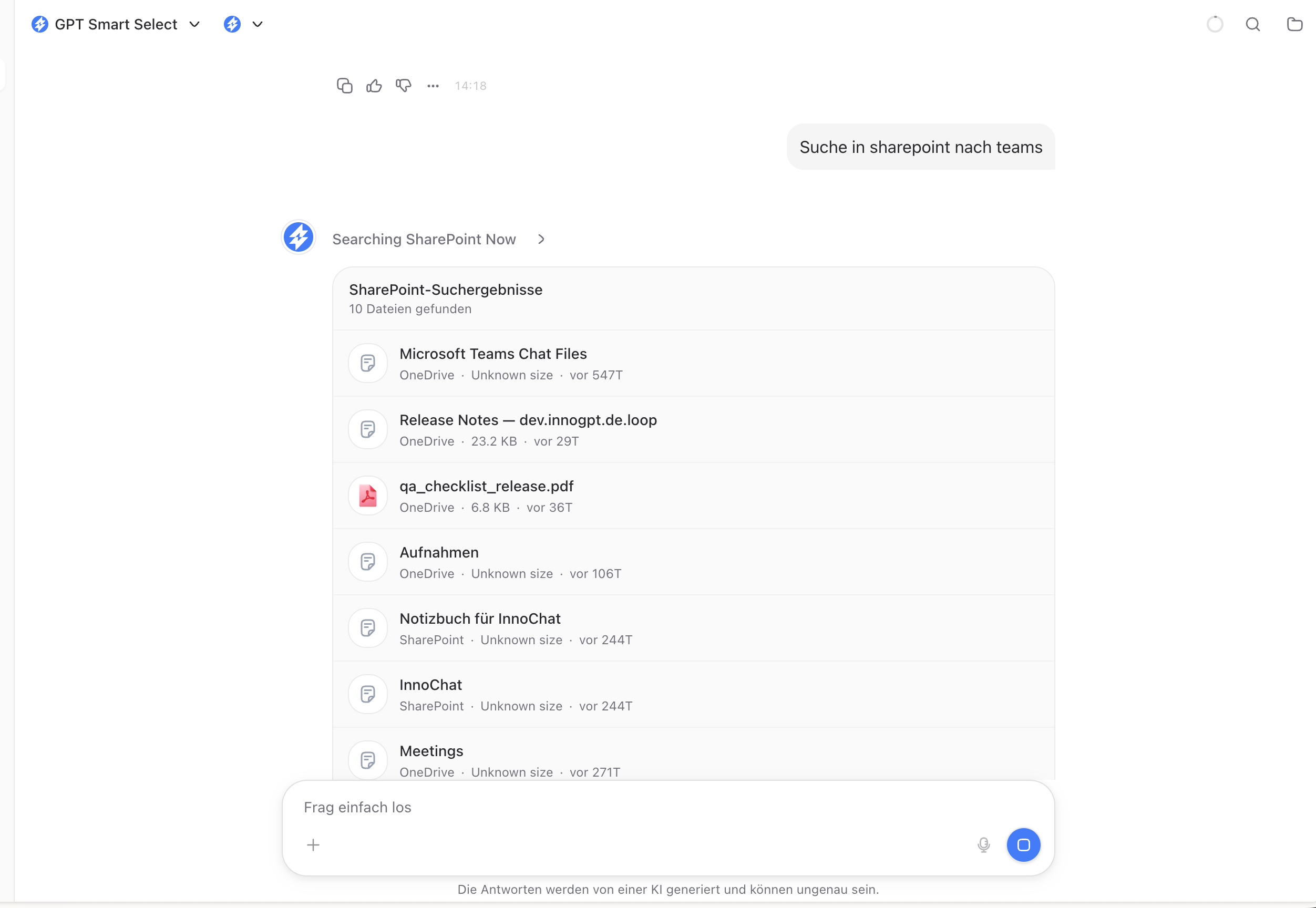
You don’t have to add every SharePoint folder to the Knowledge Library beforehand to access it. Once your SharePoint integration is connected, you can search your entire SharePoint inventory—to which you have access—live right in the chat, with no syncing, no indexing, and no waiting.
💡 What makes this feature unique: You can access content from sites, folders, and lists that you’ve never added to the library. The search runs live via Microsoft’s official SharePoint Search API.
How live search works
Simply ask in natural language in the chat:
Was steht in unserem SharePoint zum Thema "Compliance 2025"?
Such mir alle PowerPoint-Dateien aus der Marketing-Site,
die im letzten Monat geändert wurden.
Hat jemand in SharePoint Notizen zum Onboarding-Prozess abgelegt?
innoGPT It then automatically loads the SharePoint connection, performs the search, and shows you the results in the chat—with filenames, location, last modified date, and a direct link to the file in SharePoint.
Loading content into the chat
If a result is relevant, you can drag it directly into the chat via a follow-up prompt:
Bitte lade die Datei "Onboarding-Guide_V2.docx" in den Chat.
Lad mir den ersten Treffer komplett rein, ich will den Inhalt analysieren.
Only at that moment does innoGPT retrieve the full file content from SharePoint and make it available in the current chat — after that, you can summarize, compare, translate, or ask questions as usual.
⚡ Live Search vs. Knowledge Sync — the difference
Here’s why Live Search works very differently from Library Sync (Method 1):
ℹ️ Important to understand: With Live Search, no SharePoint data is stored or vectorized in innoGPT. innoGPT uses only the official SharePoint Search API from Microsoft — just like the search bar in SharePoint itself, only via chat.