Changelog

Follow new updates and improvements to innoGPT.

Projects with Team Channel: AI Moves from Singleplayer to Multiplayer
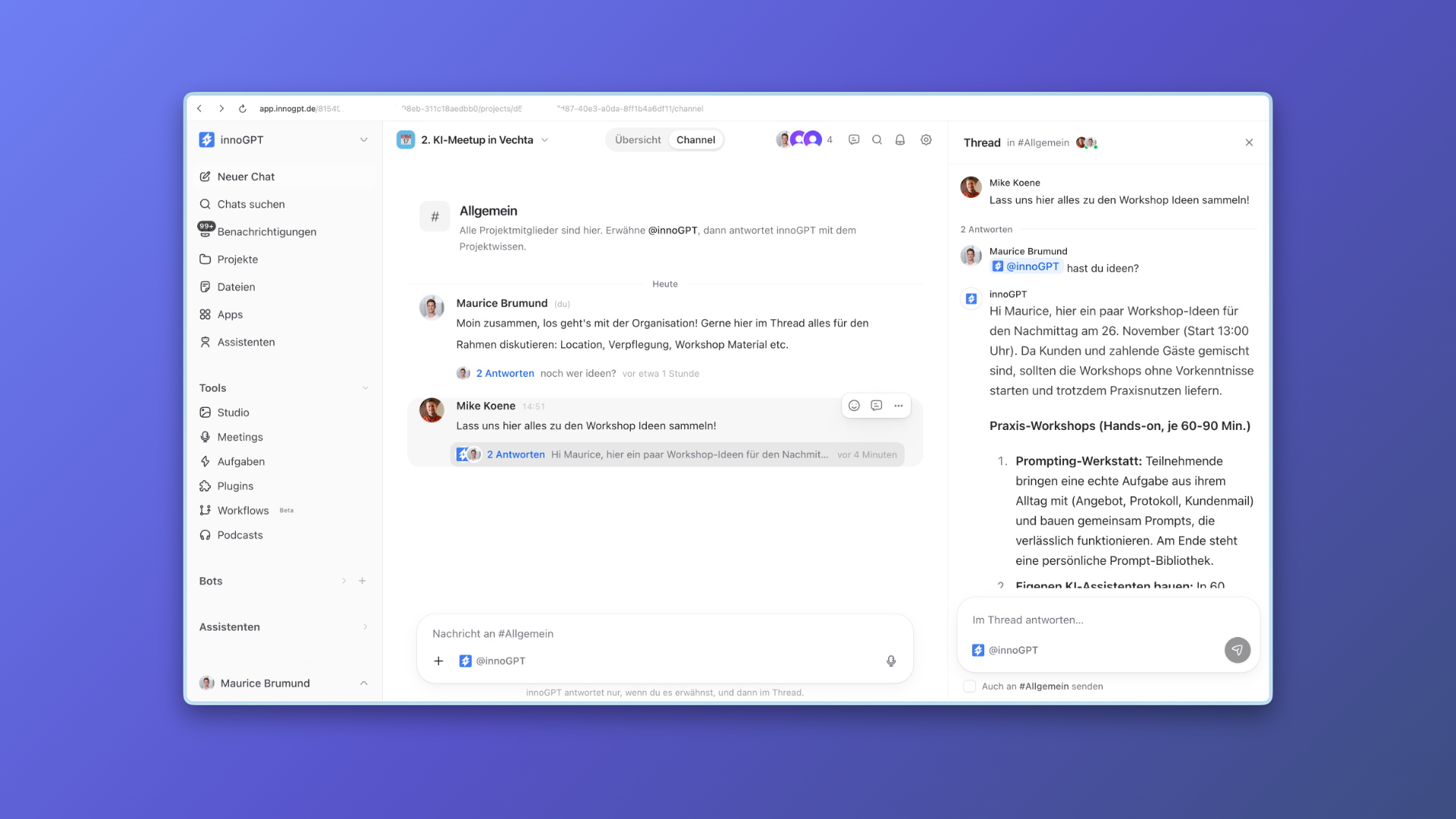
Starting now, the new projects with their own team channel are available in every workspace. This makes AI in innoGPT a true multiplayer tool for your team. Your team discusses together in the channel, works from the same project knowledge, and lets innoGPT write finished results directly into your shared work folders.

Why we built this

Many teams asked for a way to share chats with each other. But someone else's chat history only shows one person's unfinished thinking process. Real collaboration needs a shared workspace where the team and the AI work on the same result. If your marketing team is planning a major customer event, for example, everyone coordinates directly in the project channel, in clear threads. If someone brings in @innoGPT, the AI immediately knows all the stored briefings, answers questions in the thread, and saves finished invitation texts or spreadsheets directly in the connected work folder for everyone.

What you can do with it

  • Collaborate in the project channel: Exchange ideas with your team in threads in the #General channel, and bring in the AI as a team member when needed by mentioning @innoGPT.

  • Save results in work folders: Connect up to five work folders from your Files page, where innoGPT and your team can read, edit and save new results together.

  • Bundle knowledge sources: Upload documents or link folders from SharePoint, OneDrive and Google Drive. innoGPT searches these first for every question in the project.

  • Build a shared memory: Save important project details in the settings or with "remember ..." in the chat, so the whole team and the AI stay on the same page.

  • Set instructions and model: Define central rules for the entire project and choose the response model or custom assistants for the channel.

  • Keep access clearly separated: Invite colleagues or the whole team to the shared channel, while your own individual chats within the project remain your private drafting space.

How to get started

Click "Projects" in the left sidebar and create a new project with a name, icon and colour using the button at the top right. The gear icon opens the project settings, where you invite your team and connect your sources and work folders. At the top of the project view, you can switch at any time with one click between your "Overview" for private individual chats and the shared "Channel".

We look forward to your feedback! ๐Ÿ™Œ

Gemini 4 Argon & Workflows in Public Beta

Gemini 4 Argon is now available in innoGPT. Google's new model is especially good at complex analysis, large amounts of data of up to one million tokens, and demanding code. You enable it in the model settings and then select it directly in the chat. You can find all the details about the model on the Google blog.

Workflows in Public Beta

Workflows are now in public beta and available in every workspace. You no longer need to request access first, so you can get started right away and automate your own processes.
We look forward to your feedback! ๐Ÿ™Œ


More improvements:

  • innoGPT now loads small assistant knowledge collections into the context in full, so answers build on them even more precisely.

  • The settings pages for chat, image and video models show all models clearly on one page, grouped on provider cards with clear hosting zones.

  • In the desktop app, innoGPT now also reads PDFs from your local folder and runs more tool calls per answer.

  • Documents in the chat are found more reliably by their file name and read in full.

  • innoGPT renames attachments with identical names so each name is unique, and rejects ambiguous file names.

  • The chat loads noticeably faster because the text editor is only loaded in the background when needed.

  • Your meeting summaries give consistent, clearly structured results, no matter which language model you choose.

  • Only a single recording bot now reliably joins a meeting.

  • Searching within meeting transcripts no longer times out, even for long recordings.

  • The page for editing meetings now has all German translations in place.

  • In the model search, the Enter key no longer makes a selection while you are composing characters with an input method editor (IME).

  • The share dialog for assistants now loads without errors, even when former team members have already left the workspace.

  • Workflows that you pause through the API now correctly show as โ€œPausedโ€ in the interface.

  • After you grant access in the browser, the Google Workspace connection reliably takes you back to innoGPT again.

  • The connection to MCP servers stays stable when your sign-in is renewed in the background.

๐Ÿš€ New AI models and many small updates

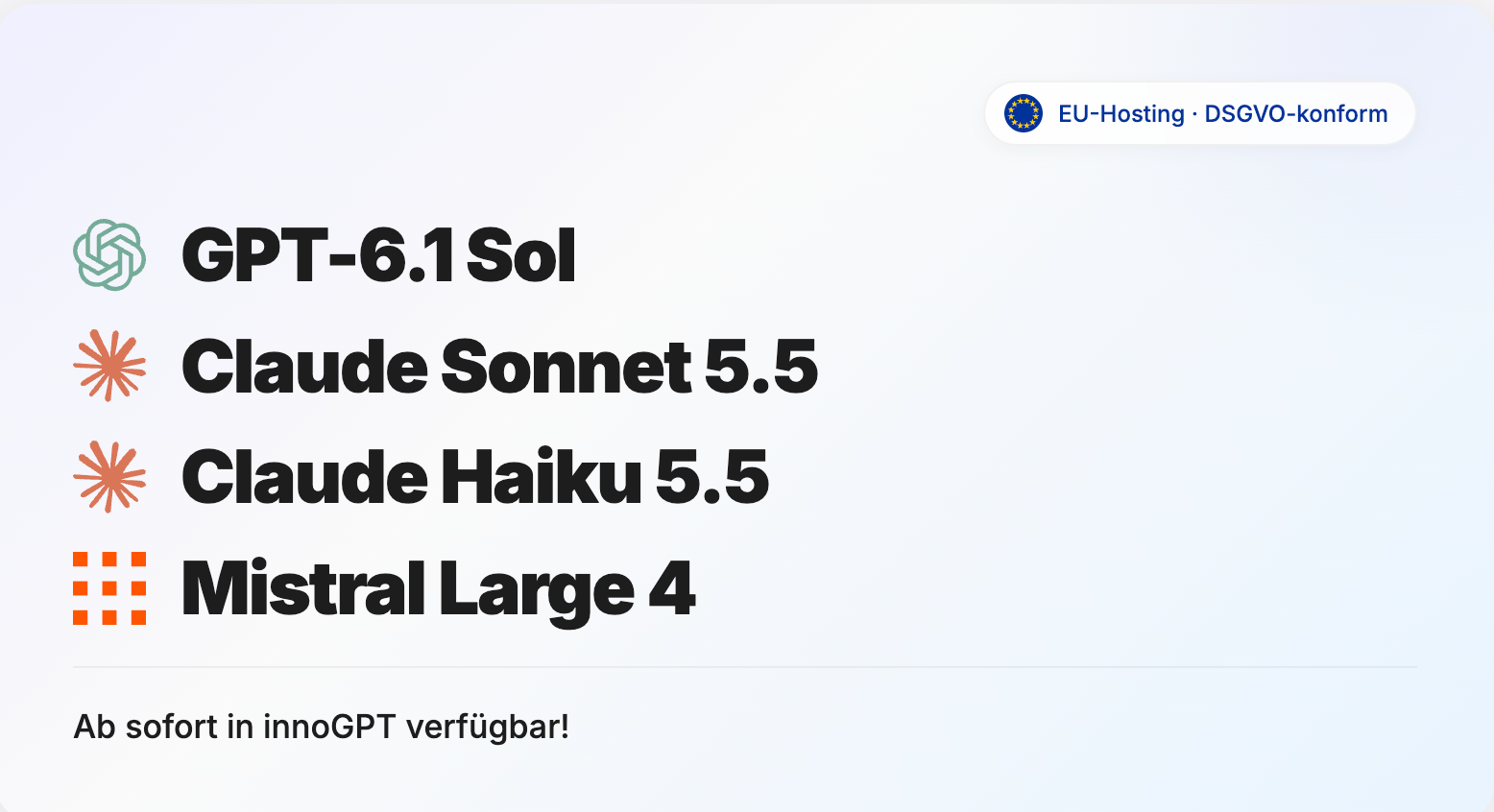
This update brings four new AI models to innoGPT. Many smaller improvements make chats, assistants, connections and scheduled tasks more reliable.

Claude Sonnet 5.5 creates texts, presentations and spreadsheets and is well suited for clearly defined programming tasks.

Claude Haiku 5.5 is especially fast and ideal for summaries, short questions and recurring tasks.

GPT-6.1 Sol supports you with complex analysis, programming and multi-step tasks.

Mistral Large 4 โ€œLe Chonkโ€ understands text and images and is well suited for programming as well as legal, financial and technical tasks.


New

  • The new model picker in the chat has a clearer design.

  • You can now invite members with a CSV list.

  • You can sync a SharePoint folder with the Library through your personal Microsoft connection.

  • The โŒ˜K search in the workspace has been redesigned.

  • MCP catalogs show their hosting region. Slack is available as a new entry.

  • The desktop app starts without a white flash, has an offline page and remembers your zoom level. It can hide when you close it and offers chat tabs as a preview.

  • You can upload documents of up to 100 MB in the chat. Large PDFs are automatically processed as text.

  • Shared Outlook mailboxes can be enabled for use in the chat.

  • Admins can limit a workspace's SharePoint access to selected sites.

Improved and fixed

  • Task runs no longer appear in the chat history or in search. You can still reach them through a direct link.

  • For automations, you choose the model with the new model picker. Smart Select is the default.

  • Routines always ask for your approval before they take action outside innoGPT.

  • Meeting summaries work with every model your workspace allows.

  • Deprecated models remain available until November 3, 2026.

  • Large OpenAPI specifications are easier to import as custom actions.

  • Document search works more reliably when there are timeouts.

  • The onboarding link takes you directly to the integration settings.

  • Meeting recordings on the web keep running while you navigate within the app.

  • After you go back in the browser, chats show the current turn again, and they get their own URL once saved.

  • Long chats and voice chats run more stably.

  • Image generation in the chat works more reliably.

  • Public chats show access prompts inside the chat frame.

  • The model picker stays clear and shows notices about deprecated models in full.

  • Document skills no longer show technical intermediate folders in your files.

  • Tools, agents and sub-assistants carry out tasks as described more reliably.

  • Connector tools correctly use UTC again when details are missing.

  • Search in knowledge sources understands questions in natural language better.

  • Temporary chats do not access memories and do not save new ones.

  • Paused tasks and workflows reliably stay stopped.

  • The microphone now works better in the Windows desktop app.

  • Project sharing and connections are saved more reliably.

  • Older generated images can be downloaded and edited again.

Enjoy the new models and improvements! ๐Ÿ™Œ

Earlier updates