Your first chat: Get your first result in 60 seconds
This guide will show you how to get your first result with InnoGPT in under a minute and immediately experience the power of AI.
Start a new chat: Click "New Chat" in the left-hand navigation bar to start a new conversation.
Enter a simple prompt: Type a clear and concise request in the input field.
Example: "Write a short text about the benefits of AI in marketing."
Submit your request: Click the send arrow (or press Enter) to send your prompt to InnoGPT.
Get your result: InnoGPT generates a suitable response to your request within seconds.
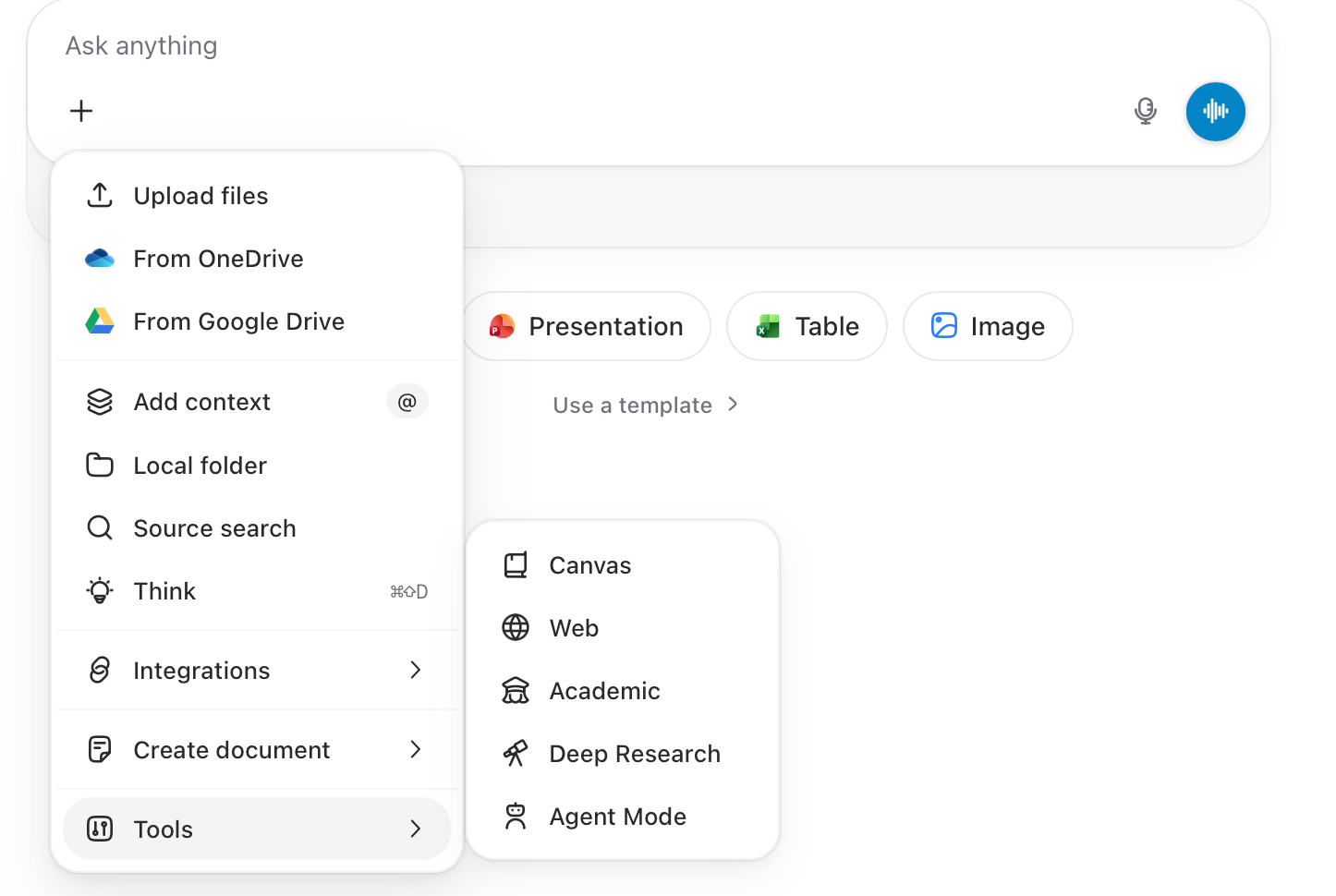
+More ideas to get started
Try out the following prompts, each in a new chat.
Summarize the key insights from the book 'Rich Dad Poor Dad' in three paragraphs
Generate five creative headlines for a blog post about sustainable fashion
Find the current top trends in renewable energy for next year and list the three most promising ones.
Tip: To do this, activate the web tool by clicking “Chat.” This will open the tool dropdown
Create a mind map structure for a new marketing concept focused on social media and influencer marketing.
Note: You can use Canvas mode for this.
Search for current research on the impact of artificial intelligence on students’ mental health and cite two relevant studies.
Tip: Activate the Academic tool
Was this helpful?
Still need help? Ask the team