Academic search
The Academic Search is InnoGPT's specialized tool to give you access to scientific papers and academic articles from scientific journals.
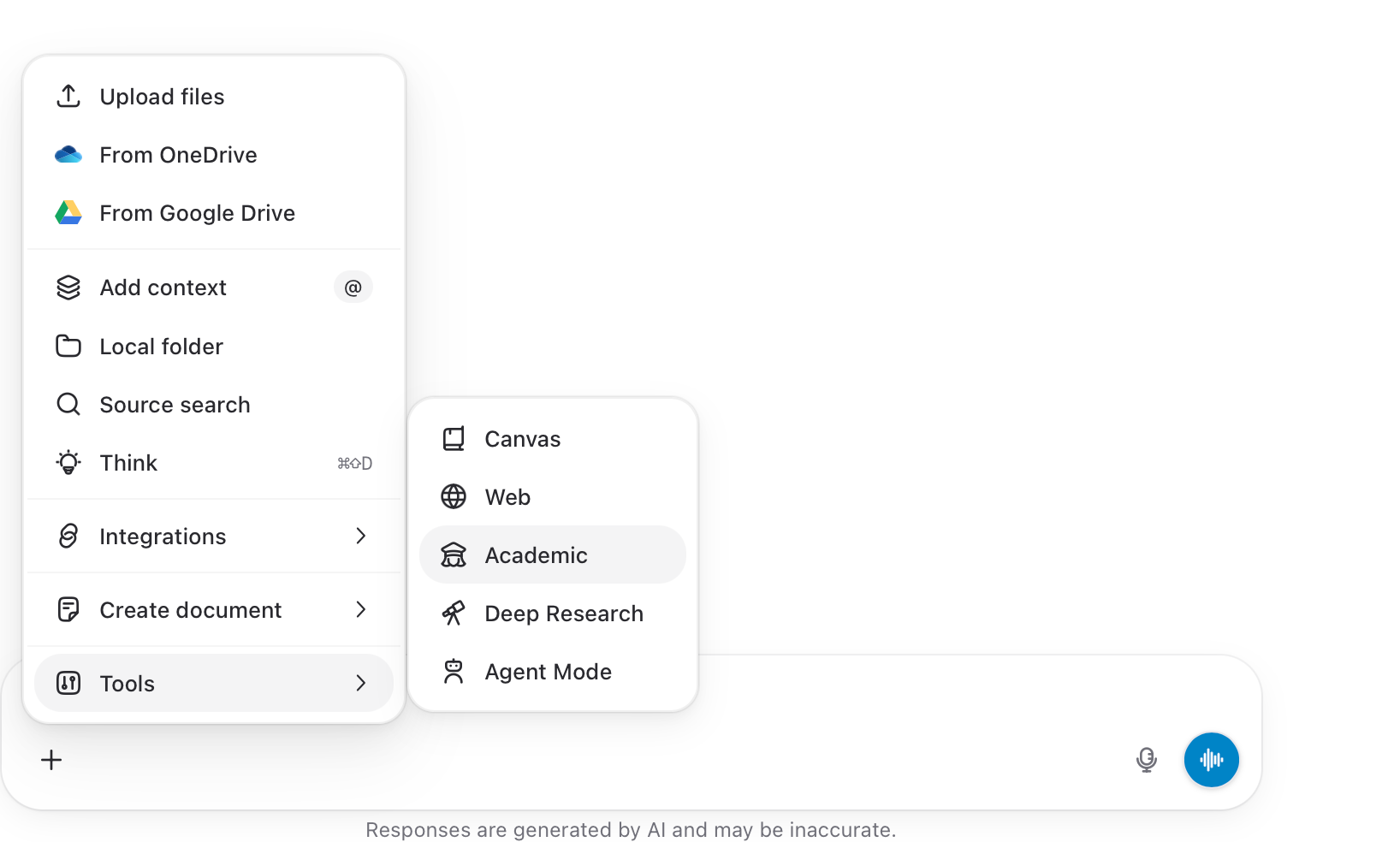
Academic Search helps you with the following tasks:
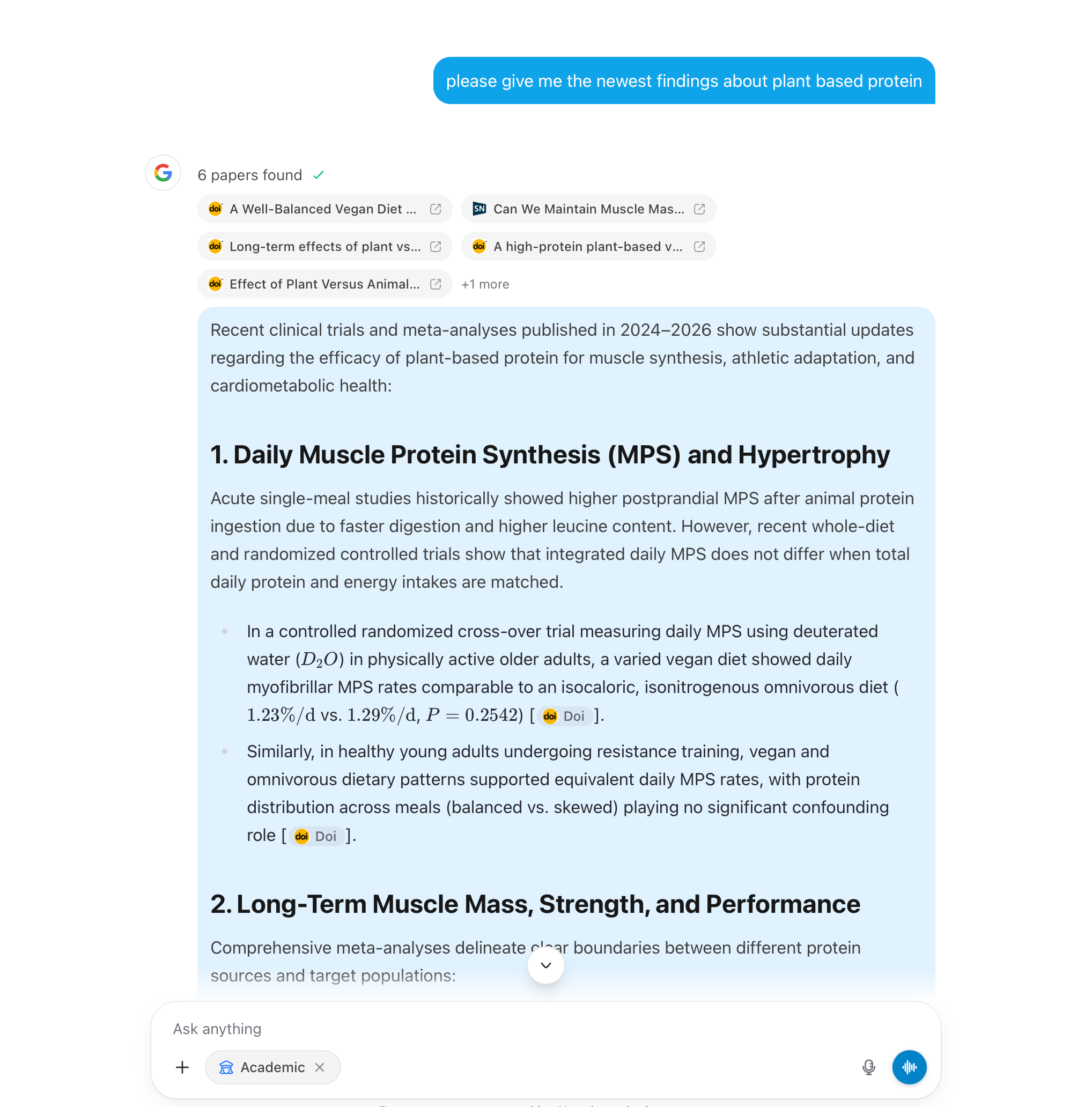
Activating the tool: Before submitting your question, click the "Academic" button below the input field to activate Academic Search. The button will glow blue when it is active.
Ask & submit a question: Enter your academic question in the text field. Then click the Send button to submit your query.
Overview and Report: You will receive an overview of the relevant academic papers and articles found in response to your query. Directly below this, a detailed report with the key findings will be presented to you.
Was this helpful?
Still need help? Ask the team