Workspace at Its Limit? Credits and Business Max
Is your team working intensively with innoGPT and running low on your monthly Premium quota? No need to panic. You have two ways to free up more capacity: credit packages for the whole team or Business Max for individual power users. You can also combine the two.
💡 Good to know: You and your team can always use standard models (e.g., Gemini Flash 3.5, Claude Haiku) without limits, even if your Premium budget is used up. Only the more expensive Premium and Ultra models are subject to limits.
When do you need what?
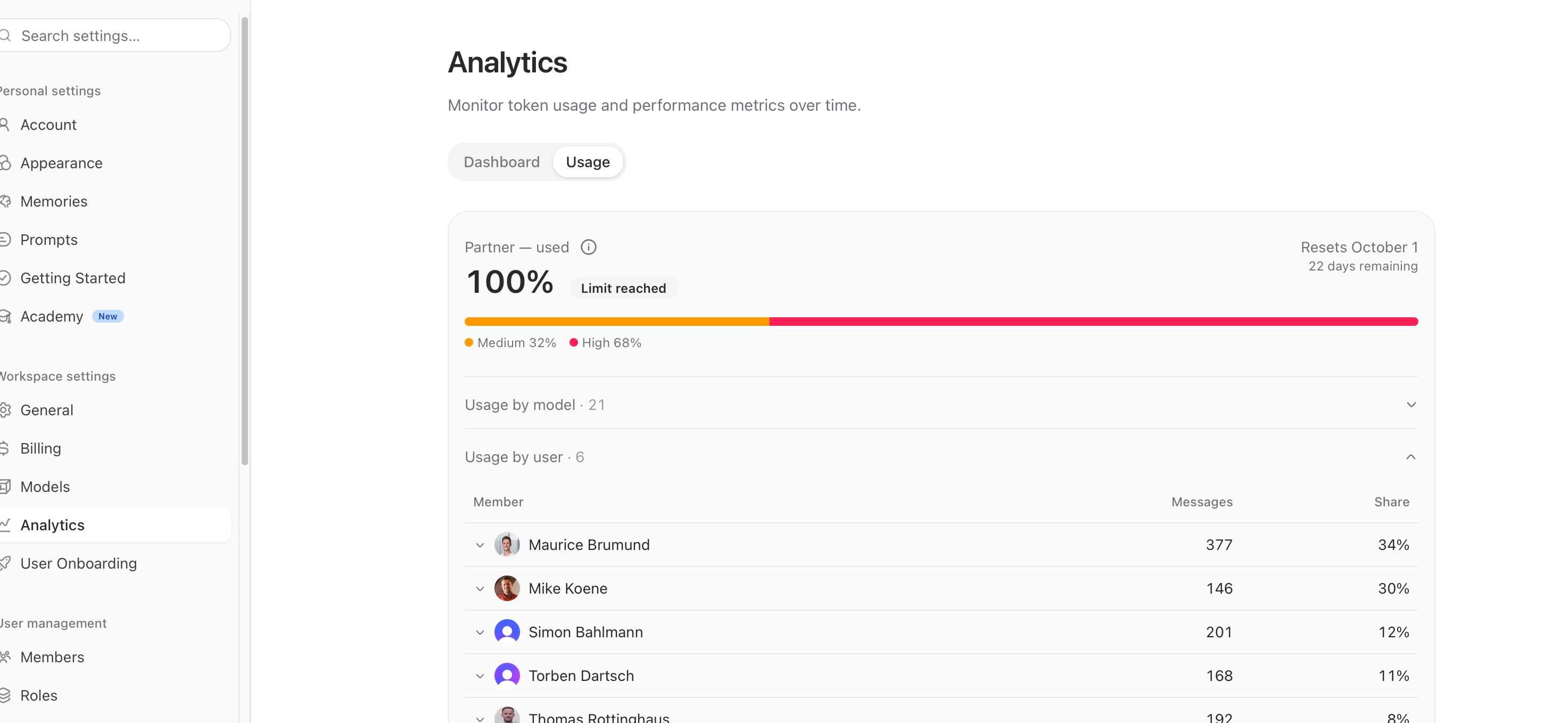
A quick look at Settings → Analytics → Usage shows you who the power users are in your workspace. If two or three people consistently stay at 100% while the rest are at 20%, Business Max is usually the smarter choice than a larger credit package.
Business Max: A Dedicated Budget for Power Users
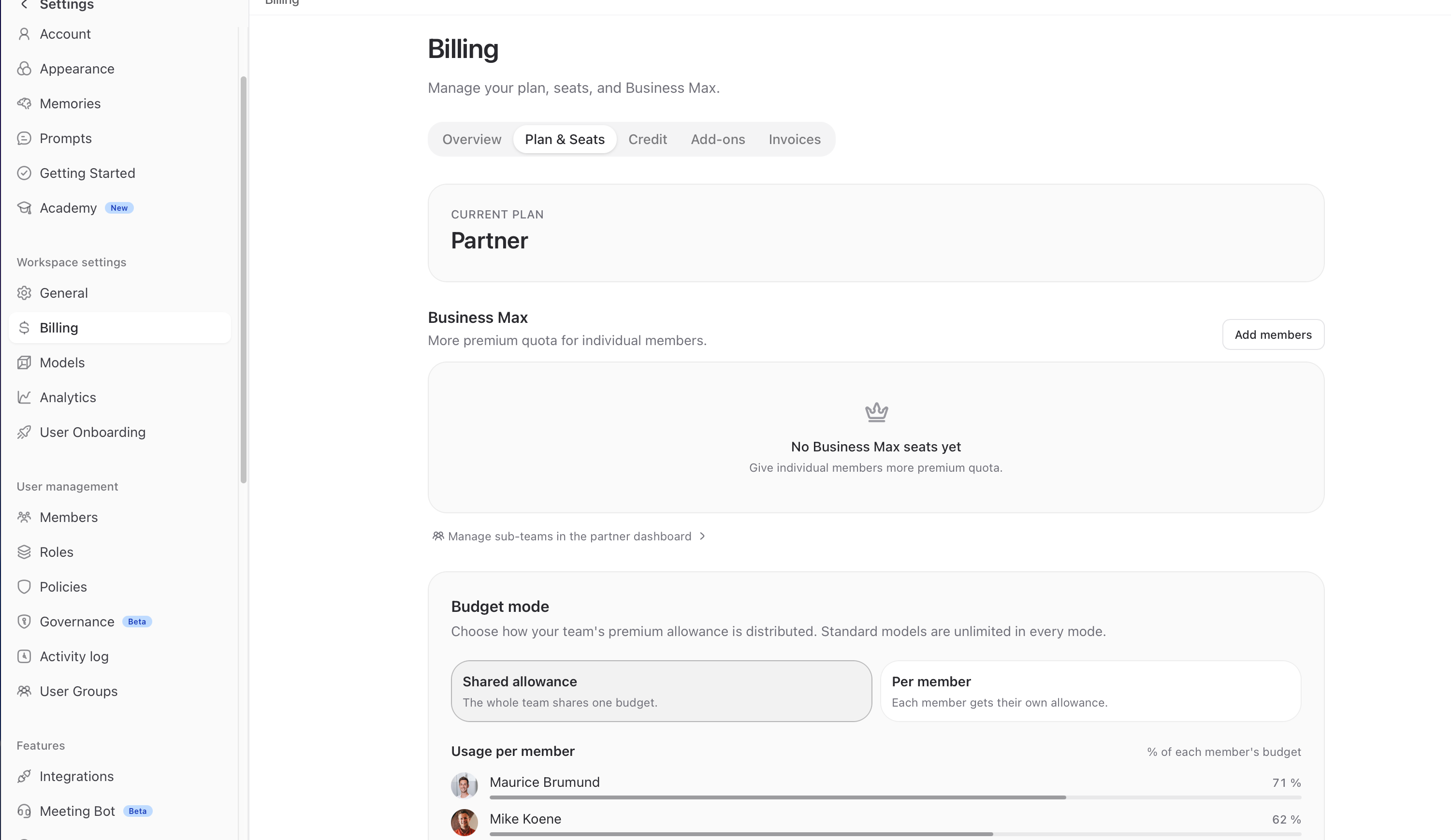
Business Max is an add-on license for individual members. Anyone who gets a Business Max license receives their own personal premium budget that’s completely separate from the shared workspace quota.
What this means in practice:
Approx. 5× more premium usage than with a standard seat (the exact number of tokens depends on the selected plan)
This person’s usage does not deduct from the team budget
Other members aren’t slowed down when a power user is working intensively
Ideal for users who rely heavily on AI
Assign Business Max
Open Settings → Billing → Plan & Seats
Scroll to the Business Max section
Click on Add Members
Select the person who should receive a Business Max license
From this point on, that person’s usage will be tracked against their own quota.
Important: Business Max is only worth it for true power users. Before assigning licenses, check under Settings → Analytics → Usage to see who is actually consistently working at the limit.
Budget Mode: Shared or Per User
Regardless of Business Max, you can specify how the standard Workspace budget is allocated. Under Plan & Seats → Budget Mode, you have two options
Shared Quota: The entire team shares a single budget. Those who work faster use more; those who use less subsidize the others.
Per Member: Each member gets their own quota of equal size. Fairer when usage is uneven, less flexible during peak periods.
Standard plans remain unlimited in both modes.
Credit Packages: Flexible Top-Ups
If your monthly volume isn’t enough, you can purchase a credit package. This is a one-time purchase—no subscription, no risk—and any unused credits roll over to the next month.
Here’s how credits work:
Credits are only used once the monthly Workspace quota has been exhausted
Unused credits roll over to the next month and remain available in the workspace
Available for all Business and Personal plans
Can be used by any team member in the workspace
Available Plans
Prices exclude VAT. The exact number of tokens depends on the model used.
Buy a credit package
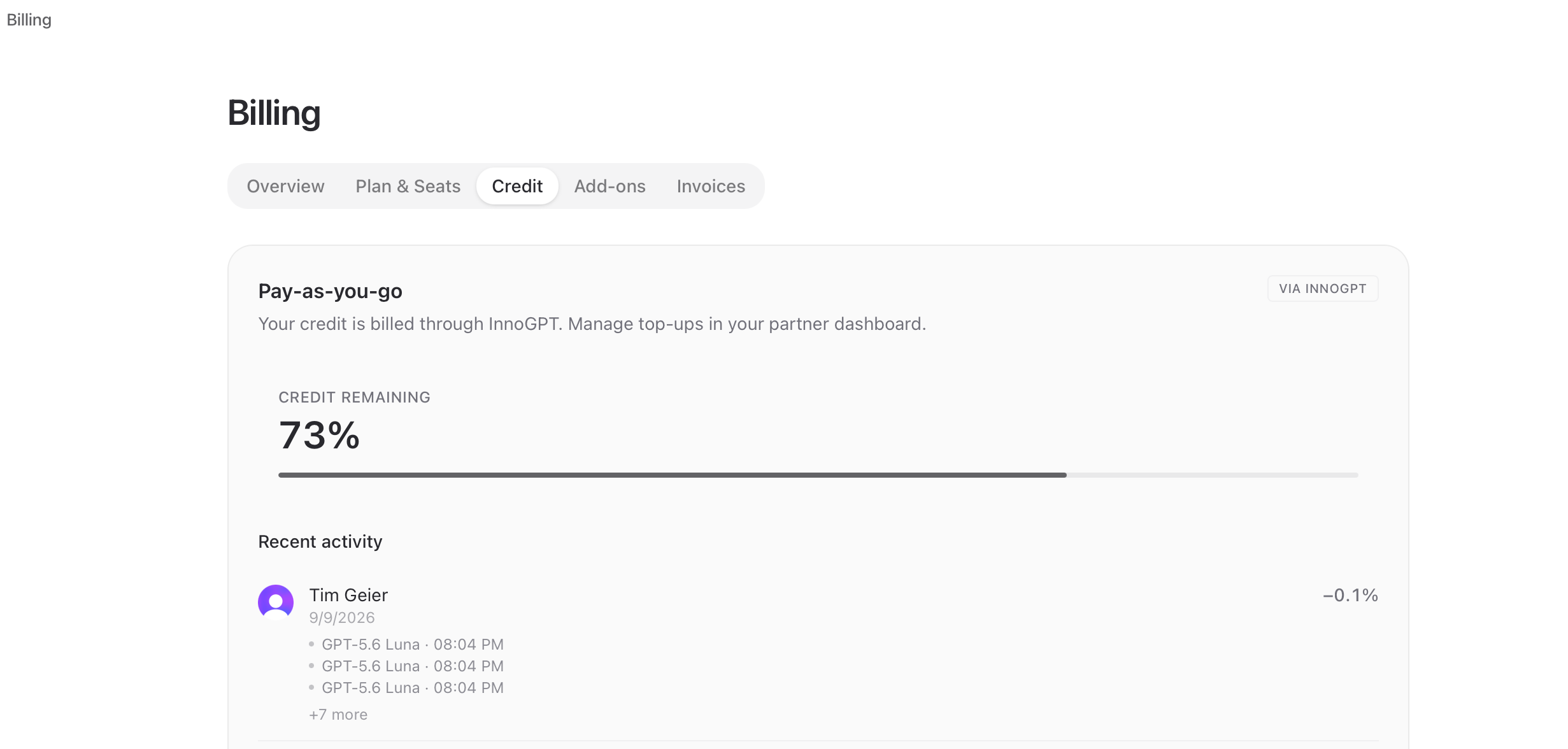
Open Settings → Billing → Balance
Toggle the “Pay-as-you-go” switch (top right)
Under "Buy Credit Package," select the appropriate package
The amount will be credited immediately to your Premium and Ultra budgets
In the same section, you can also view your current Pay-as-you-go balance and recent activity in the workspace.
For SEPA payments, it may take longer for your credits to appear.
Frequently Asked Questions
What happens if I run out of Workspace volume and don’t have any credits?
Standard models will continue to run as usual. Only Premium and Ultra models will be suspended until the next billing cycle if you don’t have a balance on file.
Do unused credits expire at the end of the month?
No. Credits are only used once you reach your cap and otherwise remain in the workspace.
Can a Business Max user also access the team budget?
No. Business Max users have their own separate budget. This protects your team’s quota from individual heavy users.
Can I combine Business Max and credits?
Yes. Business Max covers individual power users, while credits help manage spikes in usage among the rest of the team.
In a nutshell
Business Max = a separate budget for individual power users, approx. 5× more volume
Credit packages = one-time top-up for the entire team, only take effect after the cap is reached, transferable
Standard plans always run indefinitely, even when the Premium budget is exhausted
Check the analytics before making any decisions to see where the bottleneck really lies
Was this helpful?
Still need help? Ask the team