Assistant Store
The Assistant store in InnoGPT offers a variety of ready-made, pre-prompted Agents that are ready to use. These templates are ideal for completing specific tasks quickly and efficiently. You can copy each assistent with one click and then customize it to perfectly suit your requirements.
1. Open the Assistant Store
Click "Assistant" in the left sidebar, then click Assistant Store
2. Select an assistant
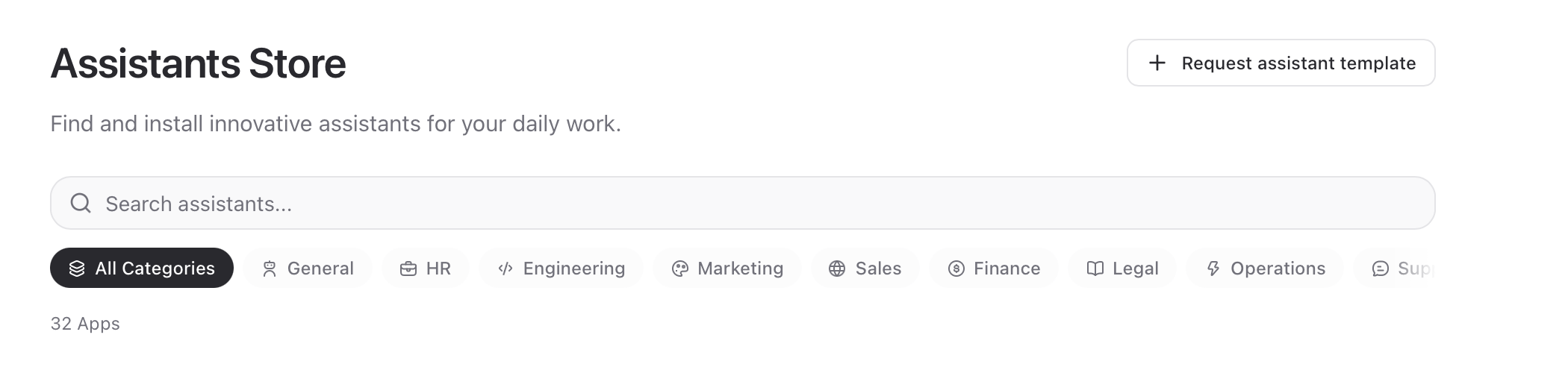
Use the category filters (e.g., General, HR, Development, Marketing) to search specifically for assistants in certain areas. Alternatively, you can simply search for the specific assistant at the top.
3. Install the assistant
Select the assistant that best meets your needs. Click the "Install" button to install the assistant.
4. Customize the assistant
Open the installed assistant and customize the prompts, models, and settings to further refine it.
5. Request assistants
If an assistant isn’t available, click “Request Assistant.” We’ll then create the assistant for you and publish it in the store.
Was this helpful?
Still need help? Ask the team