Onboarding - Settings
New to innoGPT? The Settings → Getting Started section is your interactive onboarding guide:
12 tasks across three categories—Chat, Workspace, and Setup. You earn points for each completed task, and you can immediately see where you stand in the Workspace ranking. This way, you’ll get to know all the core features without having to read a manual.
💡 Why this helps: Studies show that gamified onboarding sticks with users much better than traditional tutorials
How to find Getting Started
Click on your profile picture in the bottom left corner
Select Settings
In the left sidebar, click on Getting Started
What do you see there?
At the very top: your personal progress as a progress bar (e.g., “175 / 175 points — All done!”) plus your position in the Workspace ranking (e.g., “You’re in 3rd place 🏅”).
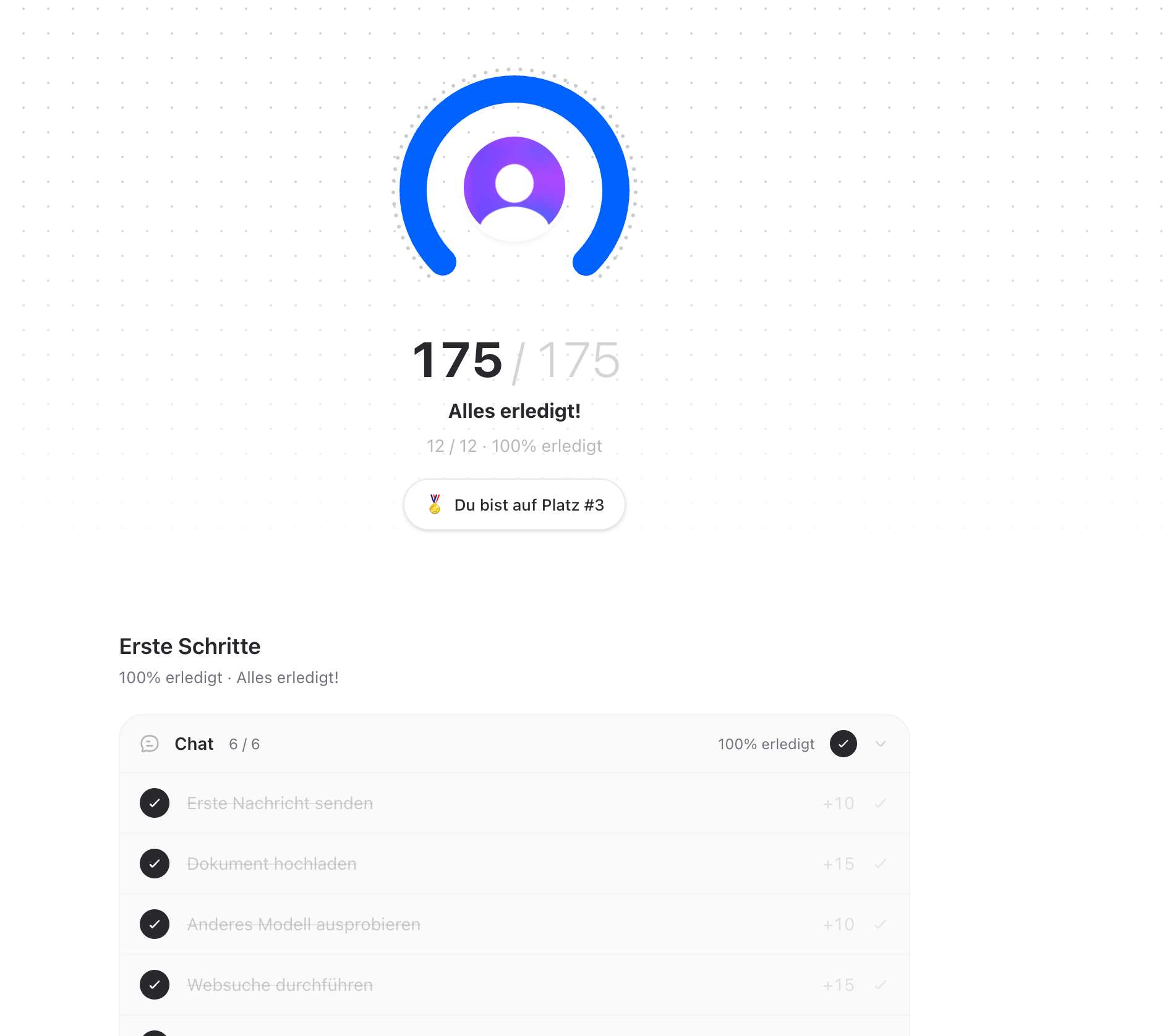
Below that: the three categories of tasks:
💬 Chat (6 tasks)
Send first message (+10 points)
Upload a document (+15)
Try a different model (+10)
Perform a web search (+15)
Perform data analysis (+20)
Generate an image (+15)
💼 Workspace (3 tasks)
Features related to teamwork, projects, and shared content.
⚙️ Setup (3 tasks)
Personal configuration — profile, reminders, appearance.
That’s a total of 12 tasks worth 175 points.
Here’s how it works
Clicking on a task in the list
innoGPT takes you directly to the feature you’re supposed to try out
As soon as you’ve completed the action (e.g., sent a first message), the task is automatically marked as completed
You’ll be credited with the points and see your new ranking
💡 No stress: You don’t have to do everything at once. Complete the tasks at your own pace—your progress is saved.
What happens when I’ve finished everything?
Then you’ll see “All done!” with a 100% indicator. 🎉 Congratulations—you now know the most important features of innoGPT.
For your next steps, we recommend:
🎓 One of our free webinars for beginners (every Friday at 11 a.m.) — register here
Browse the Help Center for in-depth articles on assistants, projects, and integrations
Build your first custom assistant for a recurring task
Frequently Asked Questions
Can I mark tasks as “done” without actually having completed them?
No — innoGPT automatically detects when you’ve actually performed an action. This is to ensure that you’ve truly experienced the feature.
What if I haven’t unlocked a feature in my workspace?
Some tasks (e.g., image generation) require active tool approvals from your admin. If a task isn’t possible, ask your workspace admin to enable it.
Can others see my score?
Yes—within your workspace in the rankings. Outside your workspace, no one can see your onboarding data.
Are there rewards for 100%?
Currently, “just” the satisfaction and a good spot in the rankings 😉
Need help?
Was this helpful?
Still need help? Ask the team